Showing posts with label SOCIAL NETWORKS. Show all posts

Post to Numerous Facebook Groups At Once

Gone are the days when I usually copy my post to share it on Facebook group one by one just to get more visitors, but the method always take much of my time and even energy but the time I came across this mighty method I really enjoy it and the first time I tried it, to be sincere there is a total changes in my blog visitors. Am also writing this with respect to my colleagues who are in need of it and also requesting for it. If you totally get to know this method, you can be using it to make direct money into your Bank Account by engaging yourself in registering an account with site that allows promotion of ads with your Social Network Accounts example of those sites are Open Ad Nation, Win Thrills and so on. I really like open ad nation for this because you will get # 1.925 on a single click so tell me if you post your links to 50 groups at once with a minimum 5000 members and you get at least 20 clicks from each groups so 20x50 that is 1000 clicks per day so 1000x1.925=1,925, for 10days, just calculate the amount and know how much it will be, so the probability for not getting 1000 clicks per day is 1/2 and 1000/2=500 so you are getting 500 clicks daily so which is 962.5 multiply by the number of days that you can afford using and calculate your earnings. It’s cool right? Yes it is


This tutorial won’t take much of your time so let’s get it started.
  • First and foremost, you need to create an account with HOOTSUITE, by clicking the hootsuite in capital letter. 
  • Click on signup for you to have a new account and you will be taking to a page with hootsuite business plan
  • Search for PRO and click on get started now under it. You may be thinking that maybe I don’t know what it mean by clicking on PRO, don’t worry that is where the logic start from. You will also be taking to another page saying you should create an account in 3steps
  • Fill the first step appropriately, for the second column(Billing Cycle) you can leave that with annual amount
  • On getting to the third column which is the main column, you will be directed to enter your billing information Select Pay By Credit Card if it has not been selected.
  • For you to give them a good details, you have to go to this site by CLICKING HERE
  • Once you are there just select any gender, Name Set (American) and Country (US) click on generate and you will be giving a full details of the gender profile
  • Copy the credit card information that you have generated respectively which are Credit Card Number, CVV2 and Expiring date and paste them to where they belong
  • When you are done click on start my free trial and your account as been created

For the second part which is the method that you are going to use to post your articles to different Facebook groups.
  • Locate Add Social Account
  • Click on Facebook which is on the second line and click on connect with Facebook
  • Do the necessary things by allowing the application to access your Facebook account.
  • Click on the PLUS mark on each of your Facebook groups imported groups
  • After that click on finish importing. NB: You will be able to see up to 50 groups at once because that is what the PRO plan supported which mean you can only post to 50groups at a time with one Facebook account
  • All the imported group will be shown to you at the extreme top of the page as shown in the picture  below

  • Click on the pin button so you will be able to post to those groups at once
  • When you are done with all those steps, you are just left with the post you like to distribute to your Facebook groups
  • Copy your post title and your post link to the box where it wrote “Compose a message”
  • Click on send now for your post to be disseminated around Facebook
  • You can also schedule the time for your article to be posted on all the Facebook groups by click on the scheduling icon in front of the attachment icon and schedule your post as you wish
Note: You can Post to 200 Facebook groups at once depending on the number of Facebook account you have and the total number of groups present on that account you create a Facebook account and start Joining different Facebook group for you to post to numerous Facebook Groups.
Hope you enjoy this little post of mine and if  you have any question pertaining this tutorial, be it what is not clear to you or what you don’t get, you can leave your question by using the comment box below.
Continue Reading

Five Important Actions To Be Taking By A Blogger Frequently

There are important actions or steps to be taken by you as a blogger which will surely promote your blog and it wont take it to extinction. For you to lead your blog to a great ending you need to take note of this steps.

@teelinks

These are five important actions to be taking by a blogger frequently

1. Posting Regularly
This is very important when it comes to blogging aspect, as a blogger you need to be very creative and have passion in what you are doing. You need to put more effort on your writing skill and let what you will be given out to your reader be of a quality post with good content. Posting is the key to blogging, it is your post that will cash the mind of your reader most and it will encourage them to come back to your blog and you will surely increase your blog readership by posting frequently. I know that some people may find this difficult and the major cause for this is that, most of the blogger always blog for money, although it is necessary for a blogger to make money with your blog but I want to tell you that it is your blog that will tell you when it is time to make money with it not you will be forcing your blog to make money for you. If your opinion on what you are creating blog for is to satisfy your readers want, you will surely end up with a massive success with your blog.

2. Backing Up Your Blog
Backing up of your blog frequently is a must for a blogger because what you have used several years to do may just suddenly disappear but if this happen how would you feel, you will feel abnormal because it is a task that cannot be complete in a day. There are different things that may cause your blog to disappear.
These includes

  • Adding of too much of scripts to your blog, changing different things in your template or making irrelevant changes to your blog  can destroy your blog at once. 
  • Your blog may be hacked suddenly unknowing to you by an hacker by if you have the backup file you can upload again and you are free.
  • You may want to change your web hosts and decide to move blog post to your domain server. This may also lead your blog to where you didn't expect which i will advice you not to do it your self if you are not good enough.
  • Problem may also occur with your blog hosting company and your blog may be accidentally deleted during that period. 
You need to back up your blog regularly so you will be free from all this issue.

3. Networking With Other Bloggers
You need to be very active online and joining different Blogger forums so as to help when you have any problem with your blog and you will share you mind with other blogger and vice versa, therefore you will be gaining more knowledge about blogging aspects.
These are the best way to networking with other bloggers
  • Find bloggers with your own blogging skill that fit yours
  • Leave your blog in the room and also comment on their blog also. 
  • Respond to questions that relate with you
  • Give them respect as much as you can
  • Talk with real mind and be genuine 
You can find other bloggers in 
  • Blogging forums
  • Social Networks
  • Conferences
  • Facebook groups


4. Replying To Your Blog Comments
@teelinks
Respond to every comment on your blog with correct answer. By doing this it will build relationship between you and your reader. Let them know your name so that it will be easy for them to share with their colleagues. Besides, let them know more on what you are talking about in your post by giving more explanation on it when you are commenting. Also try to thank them when you are replying to there comment. By doing this you will also obtain more ideas for new posts, your blog will be more powerful and you are also creating a way by which visitor will be coming back to your blog.


5. Social Media Networking
You need to connect your blog to social media like Facebook and Twitter so once you publish your post it will appear their automatically which will sure draw more reader to your blog. 
@teelinks
Develop a Facebook Fan Page for your blog and be very active their also by updating status daily and other important things also add Facebook share and Twitter Retweet Buttons to your blog which will enable you reader to share it with their friend.

Must Read:Add a Facebook Fan/Like Box To Blogger
Continue Reading

Get Free Twitter Followers Instantly On Daily Basis

Social Networks were mainly made for the purpose of their users to connect to their friends and family including to promote your business only in which twitter is among. No matter how the dullness of twitter website, someone in need of good site development needs it to grow its website because you need to create an impact on the society by connecting your website to your Twitter account so as to convince the reader about what you have in your website.
Everyone know the function of twitter followers to your website that the more your twitter followers increase, the faster your website or blog becomes famous to the public.

This is very simple and straightforward, in which you will be getting up to forty "40" twitter followers per day the more you do the more you get your twitter followers and I know you will totally like this

This is a free twitter application that doesn't send or create twitter on your twitter account and all the followers provided are real and active on Twitter.

free twitter followers. teelinks.blogspot.com

Must Read: Design Your Twitter Background With Simple Method

1.  CLICK HERE to go to the main page view of the site

2. At the site homepage you will see the twitter logo which is the flying bird and click on "Start" at the bottom of the logo

3. Log  in to your twitter account as given on the site

4. Authorized the to read your twitter account and note that the app will not access your messages or see your twitter password

The application will automatically give you up to "40" twitter followers and it will be shown to you, you can check your account and ascertain, you will surely see the changes

NB: Put it in mind that you can only perform this action once in a day, if you try to do it twice, you will get a notification that you can not use it twice in a day.
Continue Reading

Create Facebook Fan Page For Blogger

As we all know that Facebook is among the best social network Globally, that is why you need to create a Facebook fan page. Before starting the tutorial we need to understand the  
Meaning of Facebook Fan Page.
Facebook fan page or Facebook Page
This is a public profile page in which you can particularly create it company, group, team, celebrity, business, brands, and so on. This page will show the your "Likes" which are the fans. This is mainly used to promote pages on Facebook and give additional visitors to your page. This "likes" become visible on the page automatically.
If there is a new page like on your page, it will automatically added to other on your webpage and your Facebook fans will be able to get new updates from you that is "page administrator" through status updates in the news feed, comment and like post and other event invitations.

create facebook fan page: teelinks.blogspot.com

1. Login to your Facebook account and go to this Create A Facebook Fan Page Link
Select any category related to your blog niche like Brand or Product and you will see a pup up telling you to choose the category of your page. Select the of of your choice and give a specific name to your page that is your blog name

create a fan page for blogger: teelins.blogspot.com


2(a).  Uploading of Profile Picture
After that there will be a another pup up asking you to upload the Logo of your website just to make your site Facebook Fan Page to be different from others, but if you didn't have yet you can skip it and upload it later.
2(b). Giving Details About Your Blog
After you are through with the above by skipping it or you did what is required from you, you will be prompted to give the features, information and so many things about your Blog, and also you will give the links to your blog, and another social media profile that you are using like Twitter Account

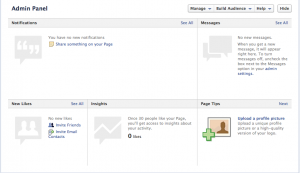
3. There will be a another page indicating that you are through with your account, that is you will see a page like this
how to create facebook fan page: teelinks.blogspot.com
4. Now you need to edit your page information and connect your Facebook fan page to your blog by adding your blog URL to your page
To add your blog URL
Go to "Edit Page" on the top right corner of the page and click on "Update Info" and fill the necessary information including the entering of your blog URL

5. You are to link your blog post and to your Facebook fan page in which after publishing your post in blogger it will automatically show in your Facebook Fan Page.
This can be performed by the use of Applications, there are many applications that you can use to do this. Authorize the app on your Facebook account and the application will help you to deliver your post to your Facebook fan page
There are two major application to do this
1. RSS Graffiti Application
2. Dlvr Application
You can do the both by clicking the link giving above and follow the steps giving to you and select your publishing plan.
Continue Reading

Secure or Sheltered Your Facebook Account

Though Facebook has just introduce a new design for all Facebook users which will get to everyone Using Facebook very soon and if someone want to get it earlier, you can sign up for the waiting list and you will be alert when it is ready.
The changed with the new design updates include:
  1. Bigger stories and photos in your feed
  2. A new sidebar to navigate different parts of Facebook
  3. Different feeds to check out, such as Music, Photos and All Friends
  4. Your notifications will now appear in the top-right corner of the site
But  for now, we will be talking about how to Sheltered or Secure your Facebook account in which you will be aware and notified may be you account has been logged in by an unauthorized user.
So this is the best way to protect your Facebook account from being hacked


 These are the steps:
  • Login to your Facebook account, at the top right corner go to 'Settings' 
  • On the listed menu, click on the 'Security' 
  • There will be series of questions for you to and other activities to enable. 

These are what you will be given to fill
Security Question
Setting a security question helps will help Facebook identify you as the owner of your Facebook account when you write to them for help.

Secure Browsing
Browse Facebook on a secure connection (https) when possible

Login Notifications
Facebook can notify you when your account is accessed from a computer or mobile device that you haven't used before. And choose a notification method either byor

Login Approvals
Require a security code to access your account from unknown browsers

Application Password
You can still securely log into these Apps by using an app password instead of your Facebook account password. You'll only need to enter your app-specific password once.

Recognized Devices
This will show your registered devices if you register

Active Sessions
You will the current location where you are browsing from and list of locations where you have accessed and if you notice any unfamiliar devices or locations, click 'End Activity' to end the session.

I think with this your account can never be hack by any professional hacker
Just note that it will not be sensible to save device that you use to login in another browser of computer that is not yours.
And whenever you get notified about an unusual login, the best thing for you to do is to change your password immediately so you will prevent your site from been hacked or lacerated.
Continue Reading

Important Keyboard Shortcuts For Twitter


Did you realise that Twitter had keyboard shortcuts? And almost everyone don’t know about it.

It is simple to access these shortcuts. You can do this by just visiting Twitter.com
These are guide to access the keyboard shortcuts for Twitter for all user. Use them while browsing Twitter on the Internet.
Before you can start anything just make sure your cursor is not on search area.


Tweets actions:
"f" to favorite a tweet
"r" to reply to a tweet
"t" to retweet
"m" to send a direct message
"n" to create a new tweet
"Enter" to see tweet details (you must use navigate to shortcut "j" first before using this shortcut)

Navigation shortcuts:
"j" to go to the next tweet on homepage or space bar to page down
"k" to go to the previous tweet
"/" to search
"." to load new tweets

Timelines shortcut
"g" then "h" to go home
"g" then "c" to go to the Connect page
"g" then "m" to go to your messages
"g" then "p" to go to your profile
"g" then "f" to go to your favorites
"g" then "m" to go to your direct messages
"g" then "u" to search for any user's timeline

You can also use Shift "?" for list of all twitter shortcuts. Enjoy...
Continue Reading

Top 10 Gmail Tricks And Tips


Gmail is a free, advertising-supported email service provided by Google. Users may access Gmail as secure webmail, as well as via POP3 or IMAP4 protocols.
I like Gmail very well in all aspect of email services because it was really helpful in all my internet services.


Features of Gmail include
1. Storage
2. Gmail Labs
3. Social Networking
4. Spam Filter
5. Gmail Mobile
6. Gmail Seach
7. Offline Google Mail
8. Google Voice in Gmail Chat
9. Extra Security Features and
10. Security Warnings

The Top 10 Gmail Tricks and Tips are listed on the site given below, just follow the texts and I know that you will like it. Top 10 Gmail Tips and Hacks. Some of these are at the professional stage.
Continue Reading

Import Your Facebook Contacts To Gmail and Yahoo

You can import Facebook contact to Gmail and Yahoo without difficulty. Gmail and Yahoo are among the most popular email services and they are also one of the innermost area where people store their contacts.
Yon can also download the CSV file and use it to invite email contact in any place on Facebook. This is easy to perform just make sure you follow the tutorial and you will get please from it.


@teelinks.blogspot.com


Before any process you need to have Yahoo Account but you can Create Your Yahoo Account Here
After it has been created,
Log in your Yahoo account and go to Yahoo mail’s homepage.
Click the contact tab. On The contact page.
Select the “Import Contacts”
Now Click on Facebook .
Click on Facebook import
Now a dialog box will pop out asking you whether you want to share your contacts with yahoo, select okay
When all your Facebook contacts as be imported on your Yahoo account in a few moment. Then Select the contacts tab again and select all contacts after that click action then Export All. You will be forward on the next page. Click “Export Now” besides Yahoo! CVS File.
By then a CVS File with all the contact information of your Facebook account will be downloaded

After you have successfully downloaded the CSV file, sign in to your Gmail and import the file to your Google Contact.

You can also drop your comment if you think this tutorial is helpful. Thanks
Continue Reading